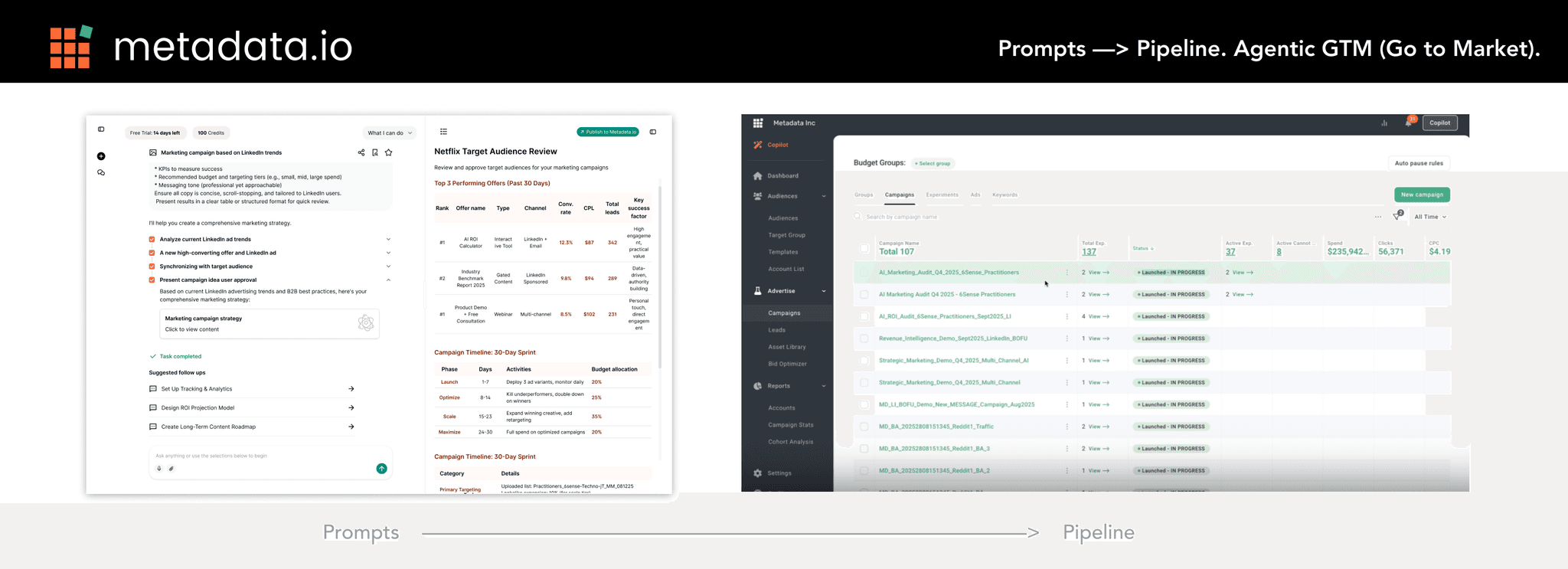
What is Metadata.io?
Metadata.io is a B2B digital advertising platform. Metadata automates paid advertising campaigns across multiple channels—like LinkedIn, Meta, and Google—for B2B marketers who want more pipeline with less busywork.
Right now the founders who are devs are creating this new Generative AI chat in order to evolve the way it’s users use the platform. They are seeking a freelance Product Designer to help design the AI chat based on the criteria's mentioned in the brief.
How the Project Starts
The client has a brief, and also an unfinished UAT of the Gen AI chat they built using Lovable that is Claude model based.
The client has real life software engineering experience, and he has been able to make the AI chat integrated with the platform work to:
Sync all images created in the AI chat to be put on the platform’s image section, can be configured into folders as well.
Sync content created in AI chat into a marketing campaign draft
Execute any campaign with AI chat
Any of these steps can be added few extra work for the AI depending on the prompt
Their tagline is:
“Run your entire demand engine inside the LLM you already work in. Prompts —> Pipeline.”
Problem
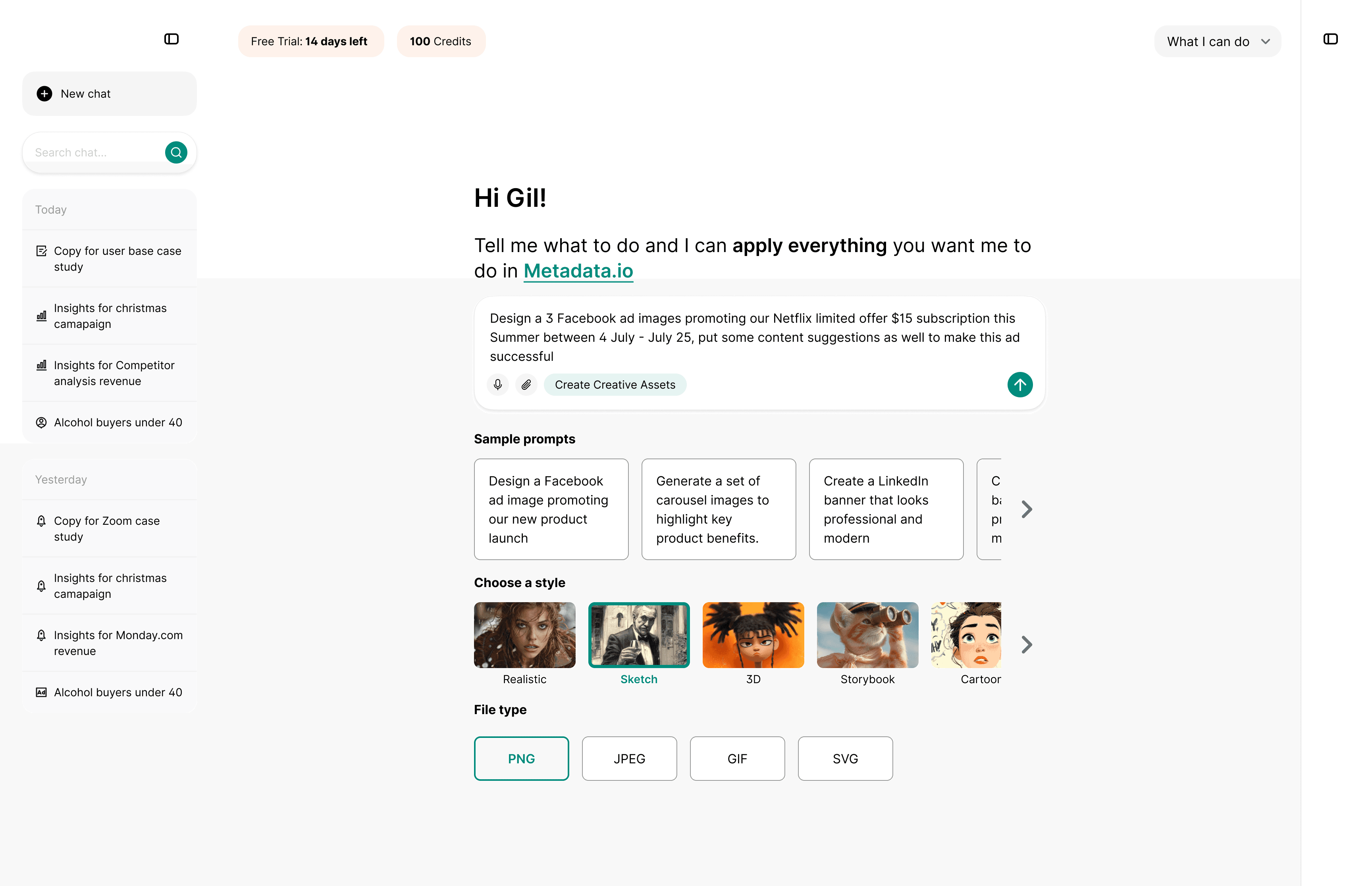
It is amazing what Gen AI can do but the problem is not everyone is skillful at prompt engineering to give structured prompts. Most users are beginners and they treat chat GPT with zero shot prompts and let AI figure it out. Gen AI are good at generating content but they are not mind readers, this is where the general problem is with use of AI.
Being a designer who has experience in prompt engineering and also knowing what can we do with AI, I am tasked to bridge the gap between users who are less experienced with prompting vs the ones who are above average. I did a lean competitor analysis on Grok, Manus, Deepseek, Preplexity, ChatGPT to see what works best for all these well known Gen AI chats.
Problem: “How can we guide the users on what our Gen AI can do?”
After notifying the client on the potential usability issues on:
Users often used ChatGPT or Claude but it doesn’t know what is different about this just by looking at the interface.
Users needed to switch from the AI chat and back into the software (disjointed).
Users might not know the Metadata platform has those images generated via Gen AI.
Users might not know that the ad campaign has been created and can be executed via prompt.
After the AI generates something the users might not know what to do next.
Solution
I come up with several solutions to the problems I listed before:
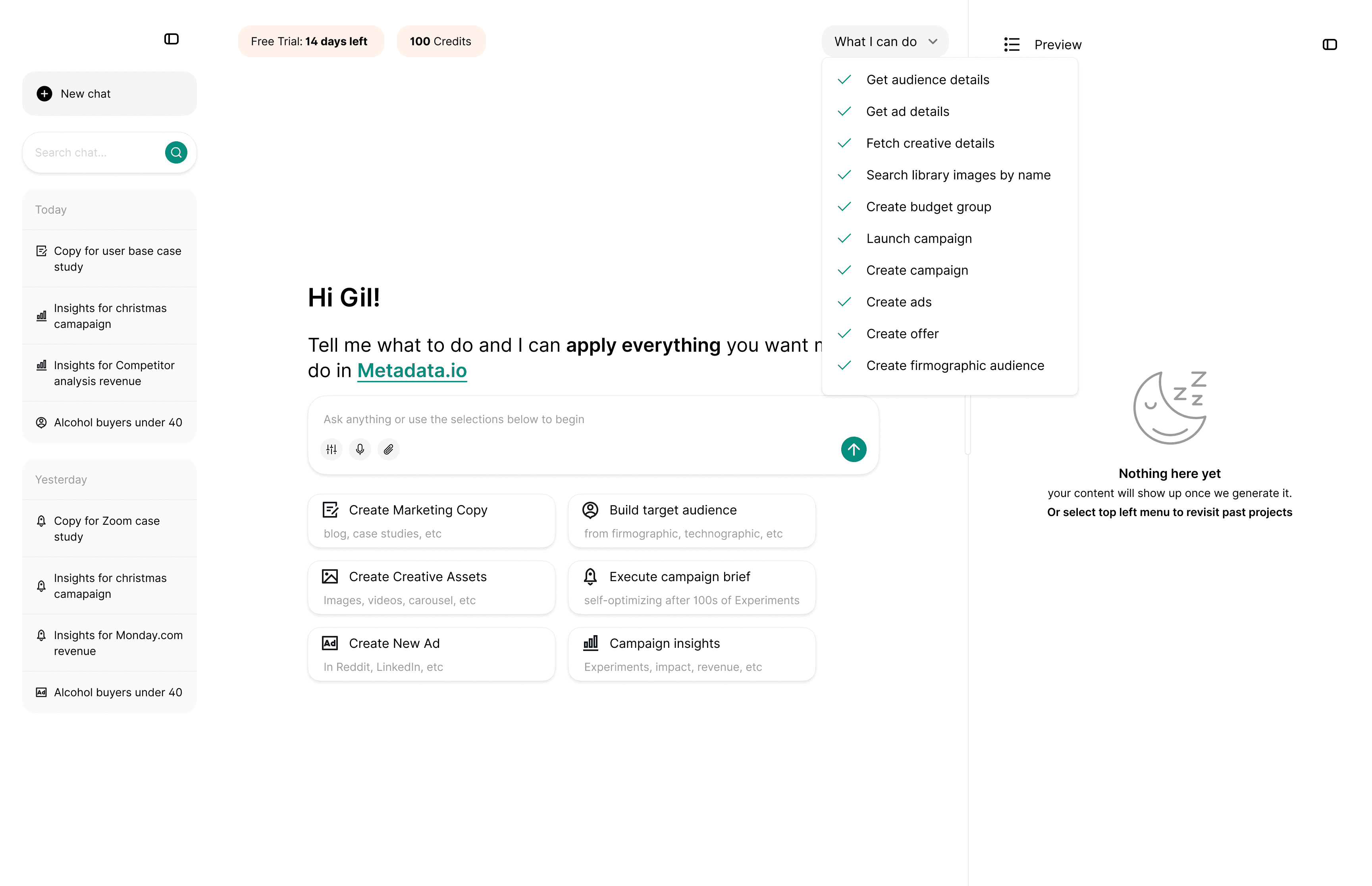
I designed a “What can I do” drop down on the top right, which will show the users what the Gen AI can do if clicked.
The main tagline “Hi (Username) Tell me what to do and I can apply everything you want me to do in Metadata.io” To fully flesh out the main core of what the Gen AI can do.
Initial clickable initial prompts to help the users generate what they need.
Every time the user generates an image or content there is a link directing them to the page within Metadata.io where those assets or content are being put, as a solution for the disjointed experience.
Suggested prompts (3 maximum) is being shown every time the Gen AI finishes generating. I suggested to the client after 1 generation the Gen AI can recommend a prompt called “Launch campaign I want to see if this actually works”
Preview trigger using Claude’s clickable element for anything with content to reduce the amount of text being shown in main chat which flooded the entire screen, making it harder for users to back track.
I also designed the Gen AI chat with best practice UI elements:
Empty state design for right hand preview panel
Loading state animations
Button styles and states, sub buttons after preview
Preview element hex code
UX copy for every touchpoint (all texts, button text, to be understandable on what it does)
Left and right panel minimized and expanded states
Preview
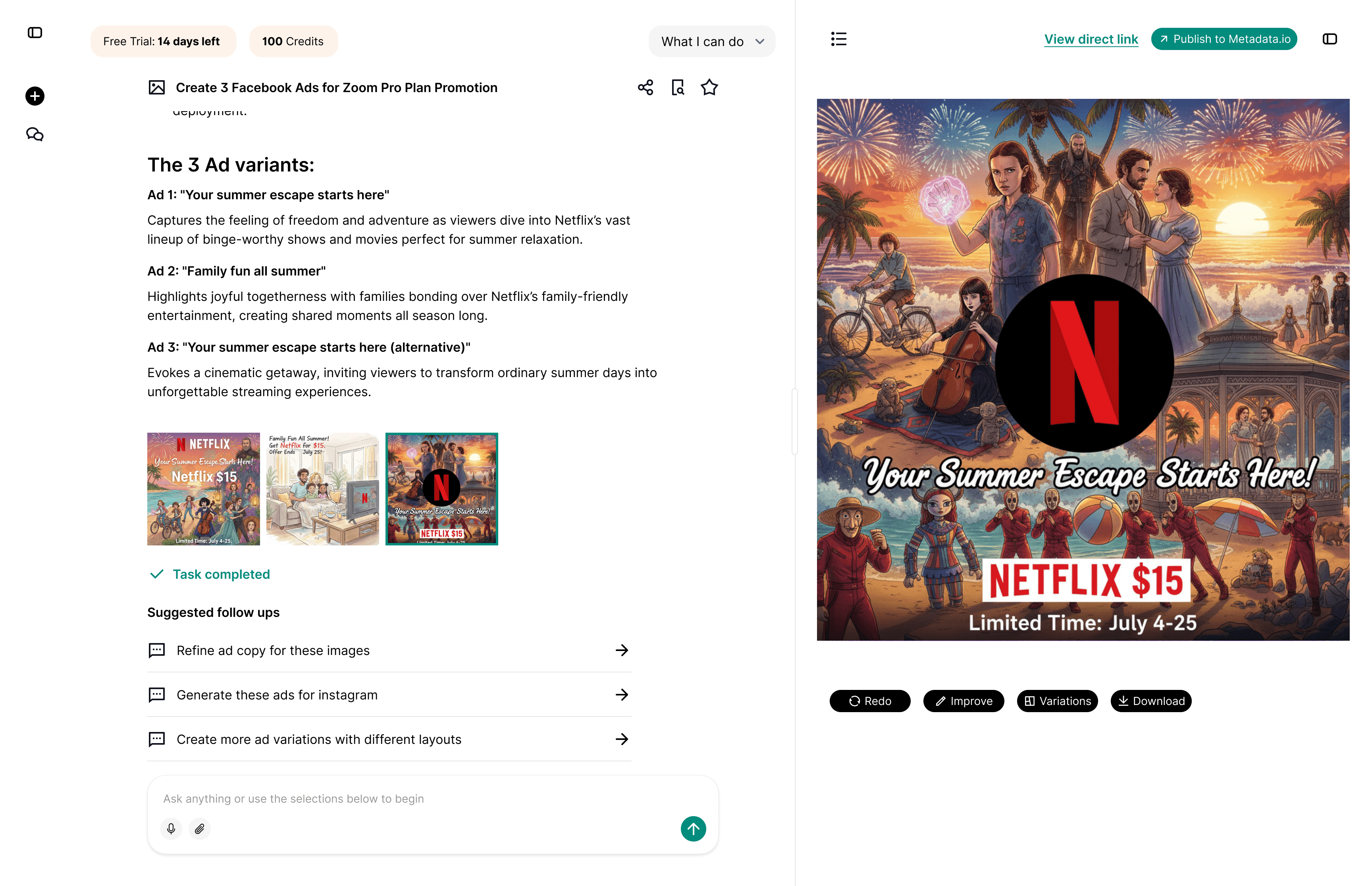
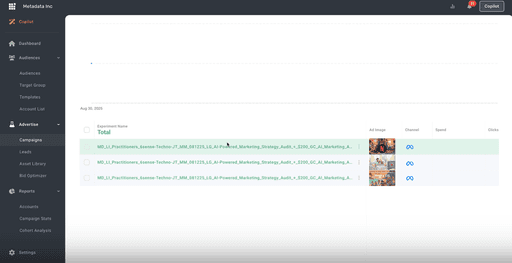
If the user clicks the "View direct link" in the top right of the preview screen they are directed into the exact page within the platform where the images are generated.
(On the left is an actual example of what the platform image looks like)
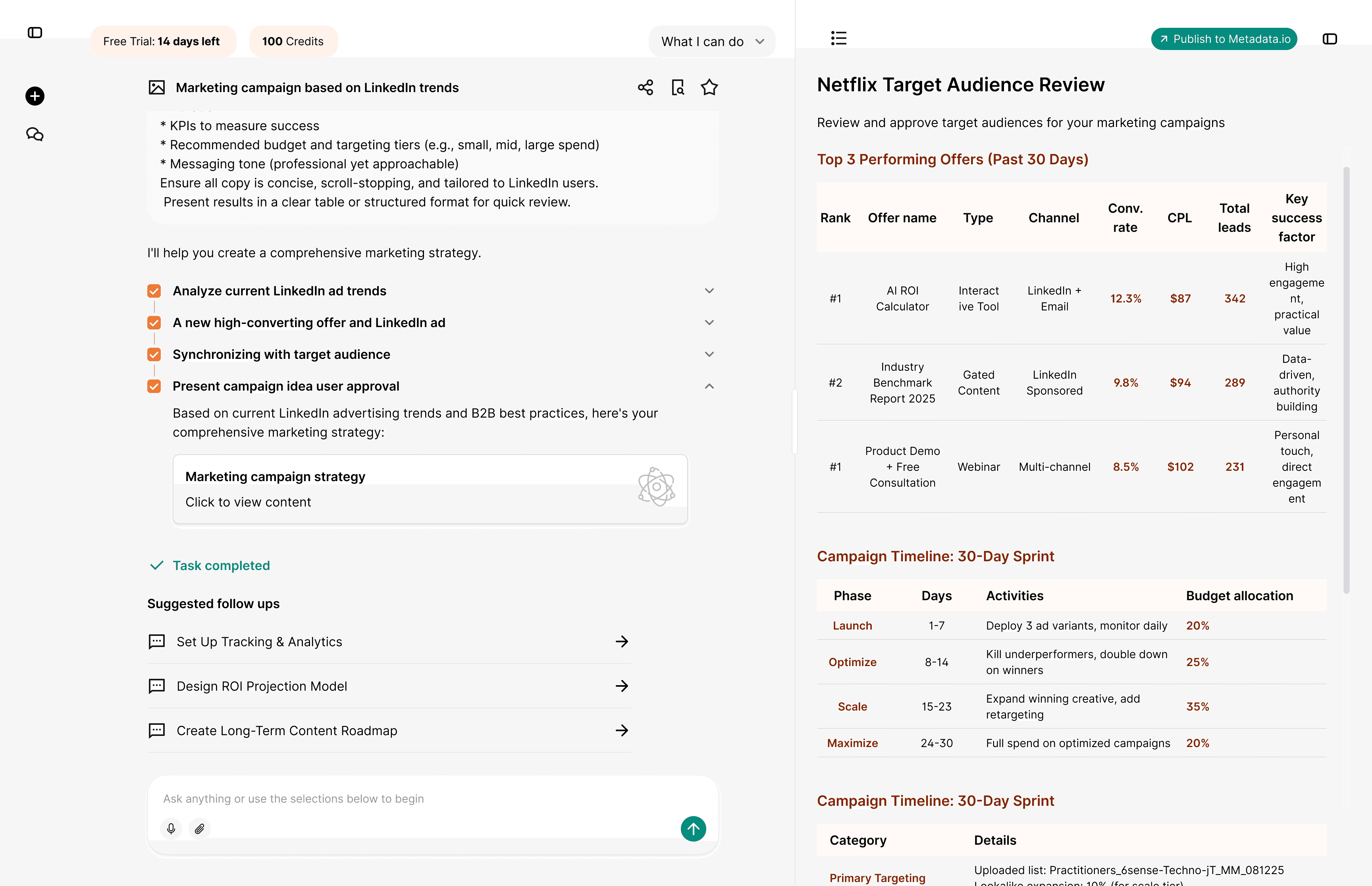
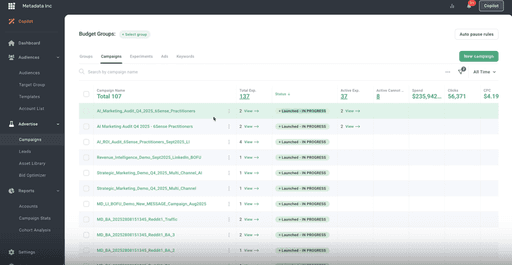
In this example, the user put a sructured prompt to create a target audience and also launch the campaign with the recommended content by AI either by chat or "Publish" button on the top right.
If the campaign is launched it will be shown as "In progress within the Metadata.io platform"
Outcome
After I wireframed and prototyped the design showcasing it on Loom, and the client is happy. I submit the Figma file and the freelance project is finished. This is the first Gen AI freelance project I had. No discovery such as user interviews/workshop is done because it’s just a short freelance project, however I have scoped to the client on the pitfalls of Gen AI chat product failures based on what I see out there and applied here despite the limitations of a freelance project.
Back