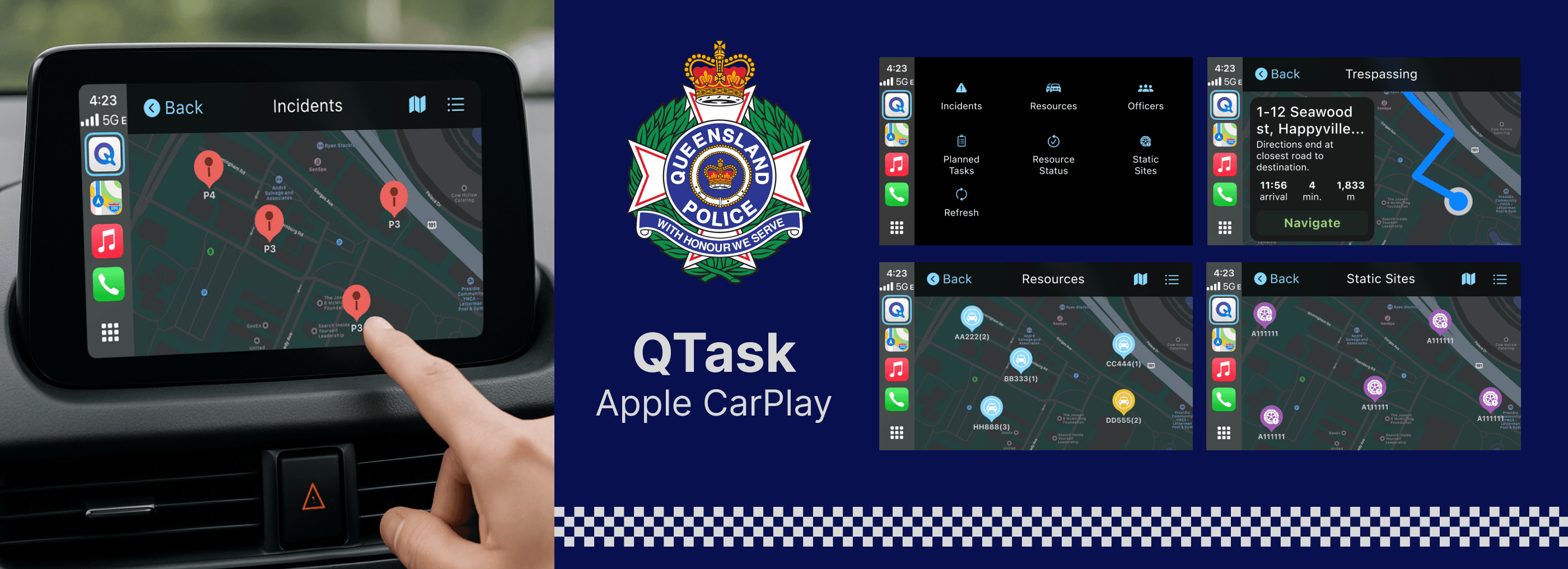
What is QTasks?
QTasks is the main app that is currently used by the Queensland police to:
Start their shift and choose a planned task provided by HQ (Proactive tasks).
Respond to incidents such as trespassing, domestic violence, homicide, etc (Reactive tasks).
Check resources nearby for backup or help an officer under duress.
Find static sites to place spike traps to stop vehicles of interest (Yes... the one you saw on movies and video games).
Update officer status so that HQ know where they are (important for officer safety).
What we know
"Bilue" the agency I was working on and the Queensland police have been talking about potentially exploring the possibility about developing Apple CarPlay due to the police having too many tools. Reducing tools is the main point but we also want to find out whether if it's worth it to have Apple CarPlay, hence we're doing discovery.
Problems
The basic main objective of this discovery is to understand "How can Apple CarPlay improve officer's day to day job on the field?"
After doing the discovery workshop, here are some problems that we learned:
Current pain points related to tools
The main QTask app is hard to use, many features are buried and officers find it annoying to find these features.
Visibility of system status is an issue throughout the app as officers are constantly reliant especially on the refresh button and not sure if the app contents has been refreshed.
Single officers had it worst when it comes to using QTasks while driving as they don’t have a partnered officer to relay information while driving.
iPhone screen is too small to rely on as a map while driving.
iPad has a large screen but is too heavy to carry when they are on a job outside of the car.
People are using both using iphone and ipad, had to log in on both and are too many tools, some didn’t even bother to use the iPad.
Relaying on Siri using iPhone or iPad while driving is difficult because in real situations background noise are very loud such as police sirens, crowd of people, dogs barking (if they are in a police dog squad), wind noise (if officers are using bikes).
Common police problems
Radio is busy especially in high stakes situation, too many people are talking.
When pursuing a target spike trap locations might already have a cop having double ups.
Situational updates whether or not there are new information as they approach the targetlocation.
Hiding informant’s information when they are in the car.
Updating status while driving (changing tasks, availability, etc)
Identifying entry points to big locations such as a mall, a warehouse, etc.
Why Apple CarPlay is the solution?
Here are the reasons why having CarPlay will improve officers in their work:
Most officers spent 70% of their time within their car/vehicle.
Less tools to use, as with Apple CarPlay they just need iPhone, and they just need to connect it into the CarPlay system within their car.
Single officers who often struggles without a partner will have an easier time working.
Hidden key features within the current iPhone app can now be emphasized in CarPlay.
Paired officers can now discuss and look at the same screen.
When calling other units interface tells which one is driver or passenger for officer safety.
Etc
User Journey Maps
Here are the values/benefits that we’ve put in the journey map after studying what is the day in the life of a police officer within the workshop. There are different types of officers such as “First responders” “Dog squads” “Bike units” “Supporting units” and many more but the journey maps we are showing the most common scenarios which applies to all proto-personas in general. We have made 7 journeys based on the scenarios police will encounter within their daily duties:
Responding to an incident
Responding to a planned task
Update status on the move
Get backup resources
Help officers under duress
Search for officers on foot
Locate Static sites (spike traps)
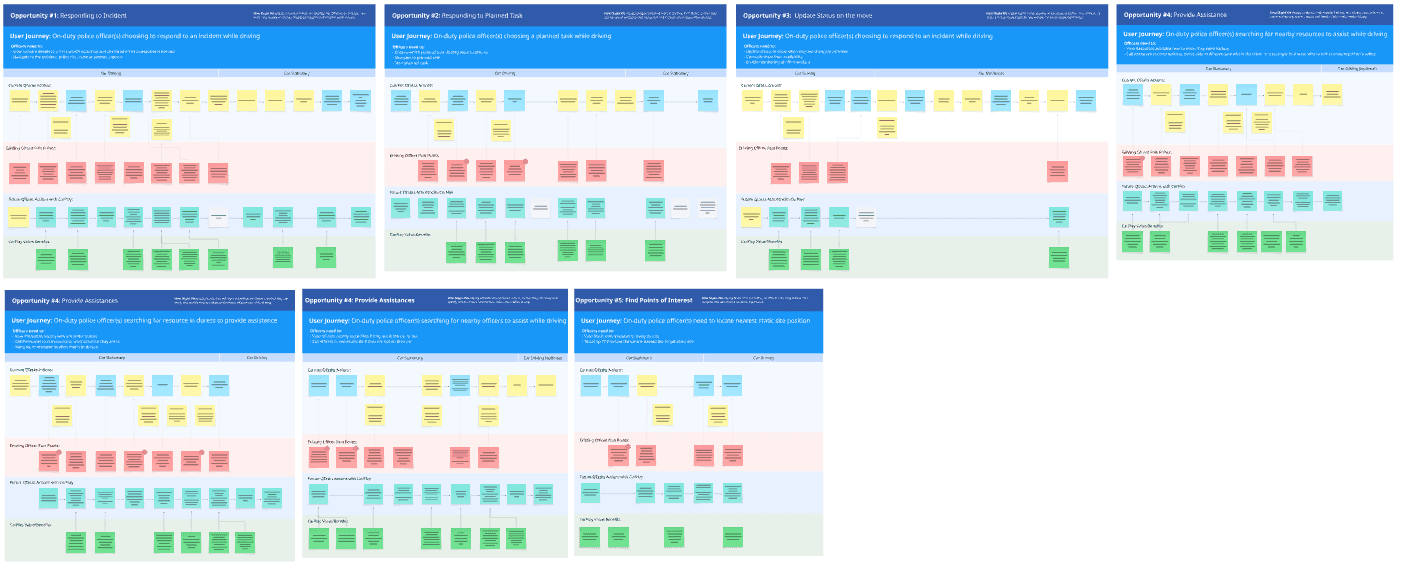
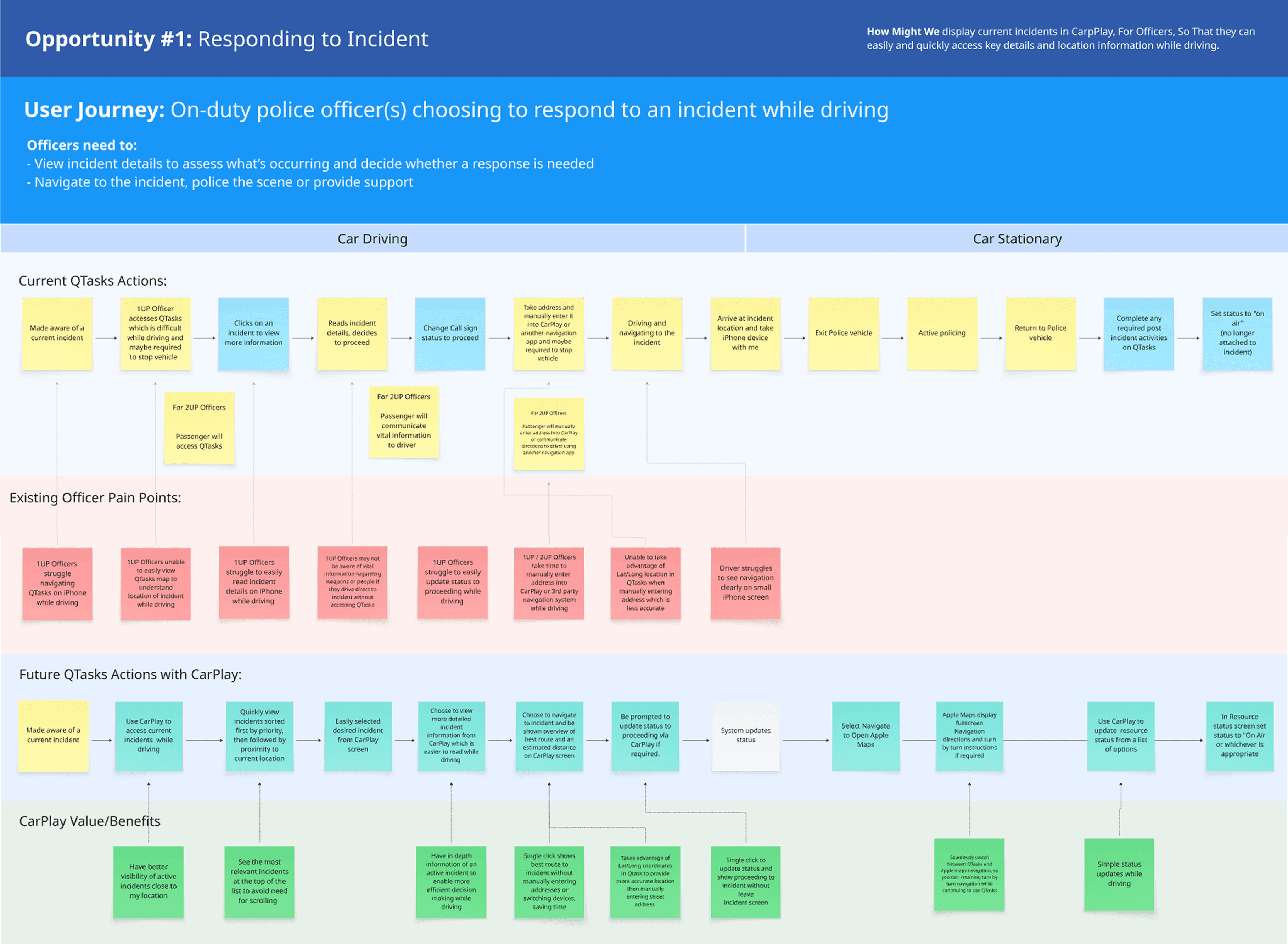
Here is an example of how one of the journey map looks, Apple CarPlay is used when officers are in the car, and is especially useful when they are on the move or about to approach a location.
Challenges
Apple CarPlay is a unique system and not many designers have experience designing it, as this is the team’s first CarPlay project it has its challenges:
We are learning what is feasible and not feasible post workshop, developer estimations change on the fly as we discover new things, user stories change as well and some features need to be parked into the backlog.
This is a consultancy and we charge the client for everything and so we need to move quick, however, we need to get Apple CarPlay entitlements. It is where we basically ask Apple of what we can build or cannot build, we need Apple to reply which takes 1 and a half weeks and so due to this dependency the team is not sure what we can or cannot do as we review the design with the client.
Designing on Apple CarPlay is like using out of the box templates which is very restrictive. Buttons, maximum text length, colours, sizes of components cannot be changed.
Apple CarPlay has no screen size documentation guide that is up to date or official Figma design system, I have to create everything from scratch using the standard simulator size which is 800x480.
User Flow & Low-fi initial wireframe concept
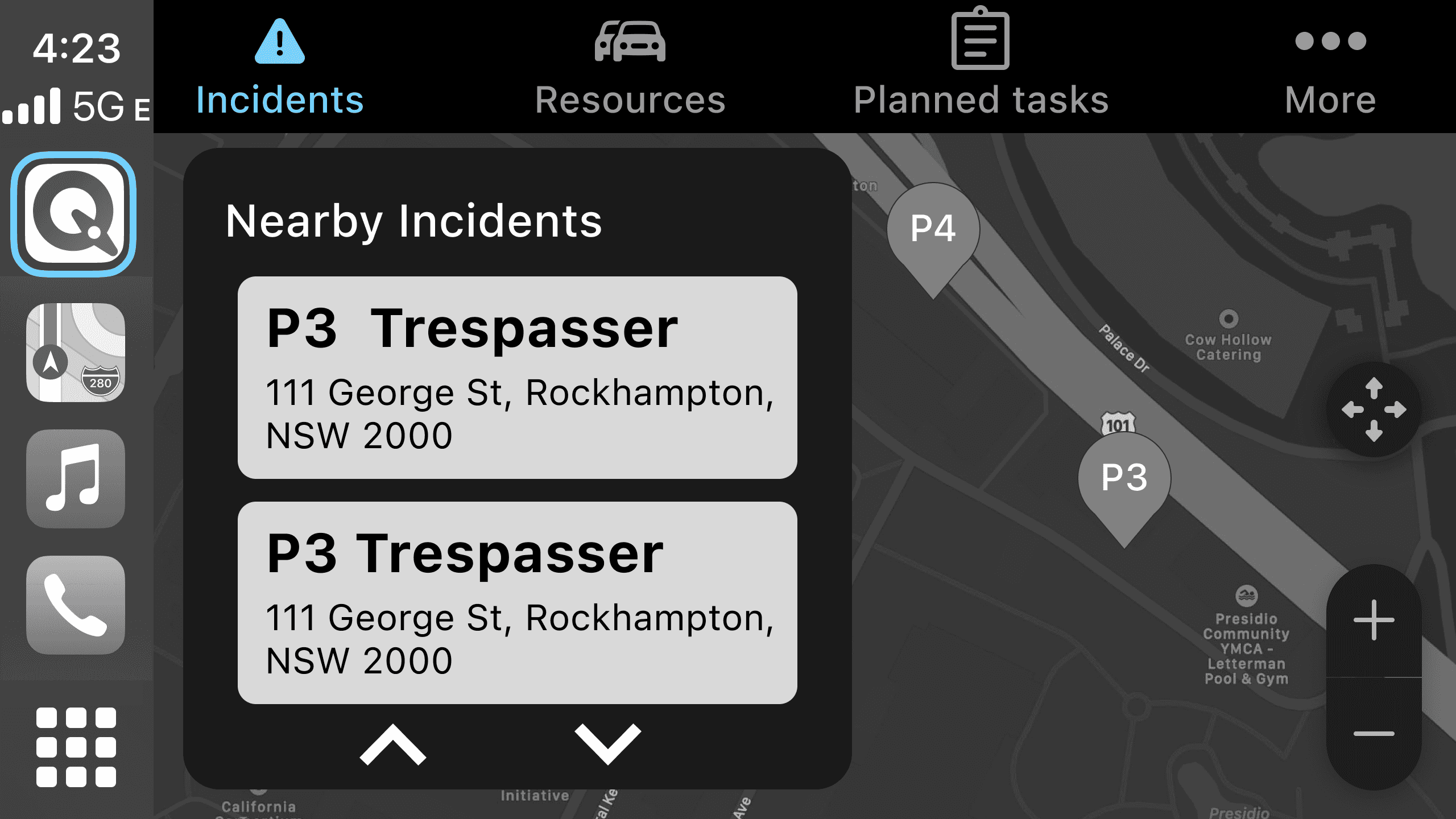
This images below are my initial approach post user journey maps, because we want police officers to respond to jobs quickly I have a preselected incident screen with the list on the map. I’ve made the User Flow of what it will look like in Miro.
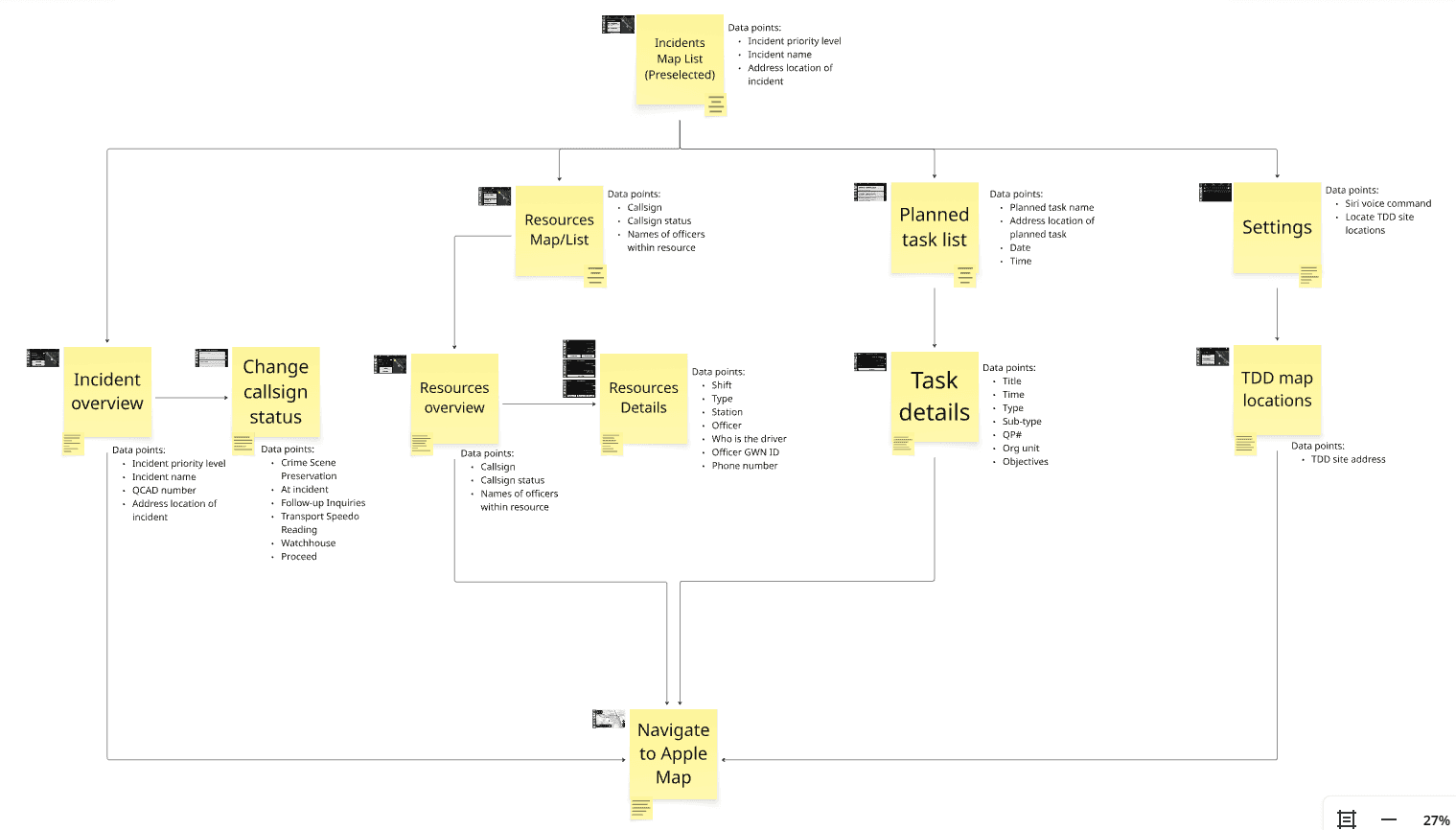
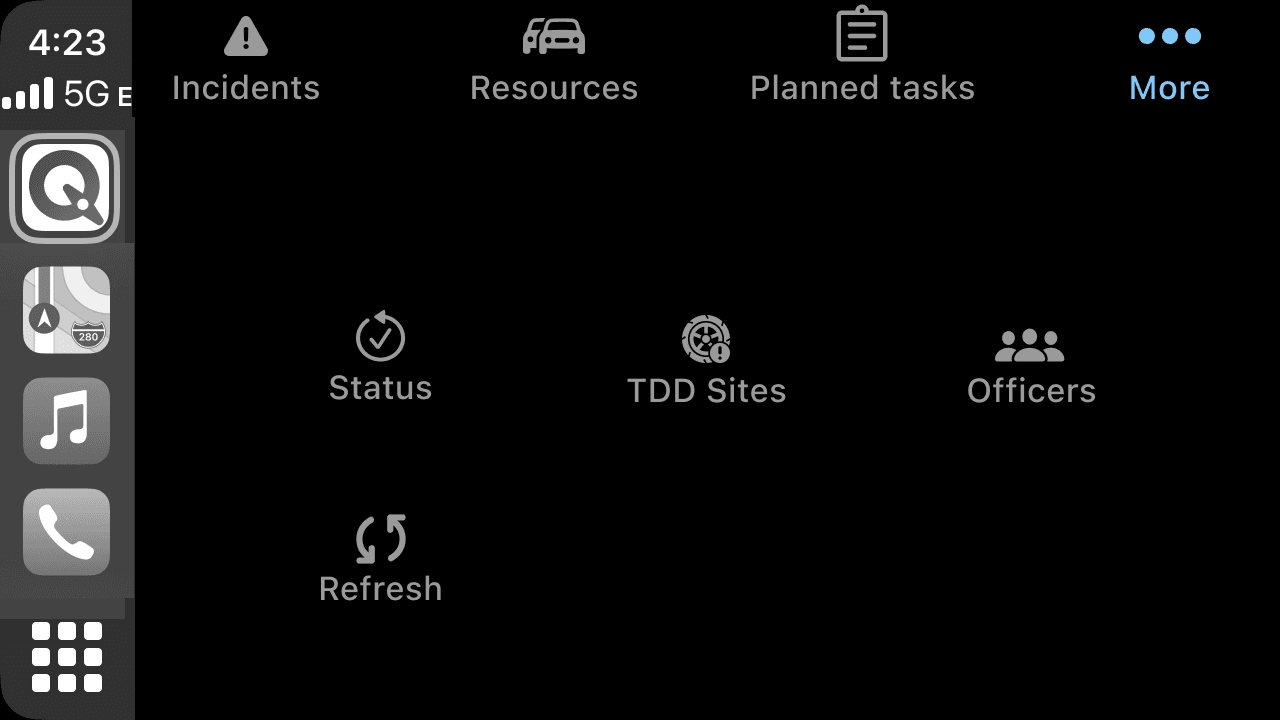
This is what the screen looks like, it has a modal with the entire list on the left, and the top navigation enables the officer to switch between different categories. The rest of the features that are not too frequently is put into “More”. Eventually we decided to pivot due to Apple CarPlay limitations on the scalability of this first concept for the long term, as the list modal cannot be customized further if we were to add new features.
Final Design
After several iterations with the client here are the final Hi-fi designs for the QTask CarPlay:
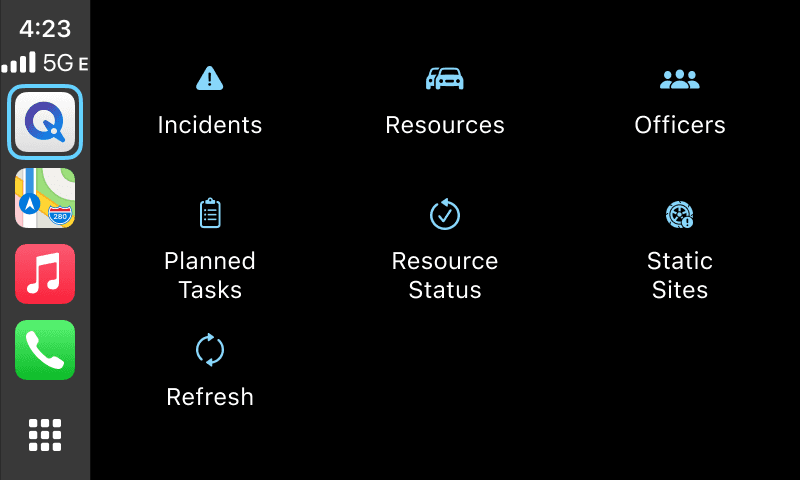
Homescreen
The officer will be able to access al features within the homescreen, nothing is hidden under a layer. (Previously “Officers” and “Static sites” is hidden under resources and can only be shown using toggles within map.
Incidents
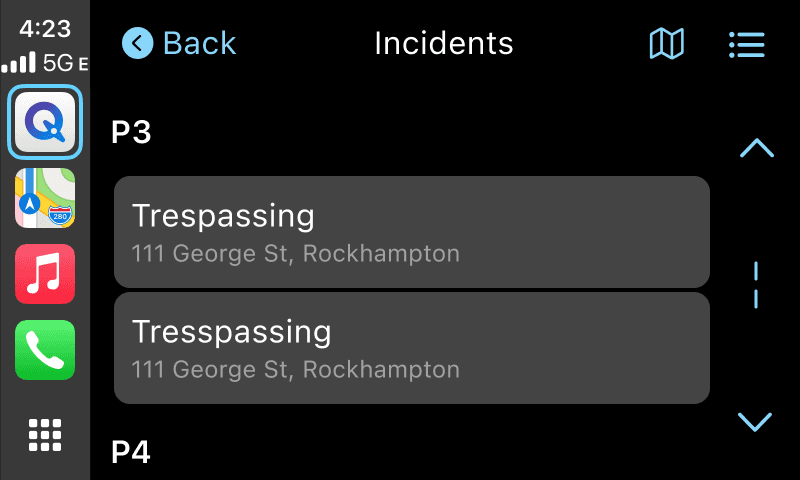
If they click on Incidents they can switch between map view or list view, on map pins the information we can put is quite limited, we only use P1 - P4 to help officers make a decision on which one to tap. P1 - P4 are the priority on how severe an incident is, 1 is the highest 4 is the lowest. List view is more useful because we can see what type of incident it is and also the location.
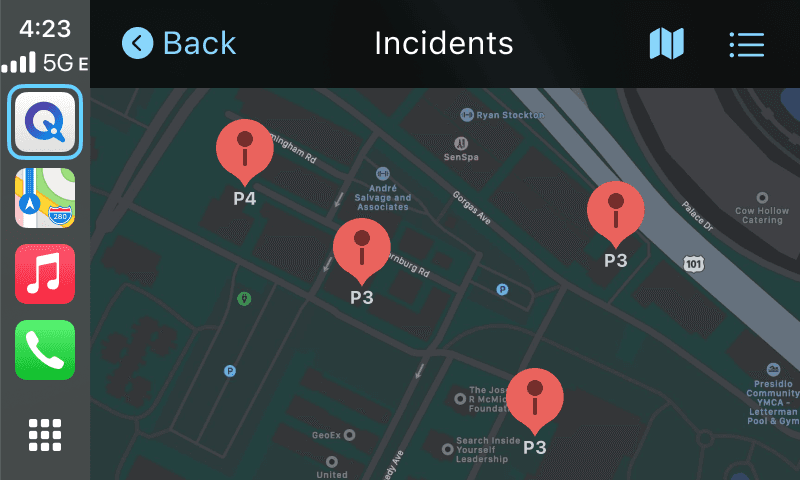
Incident menu
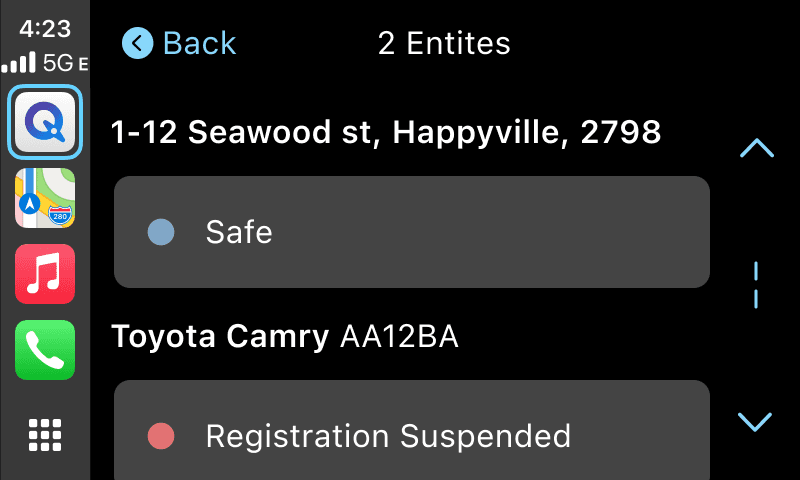
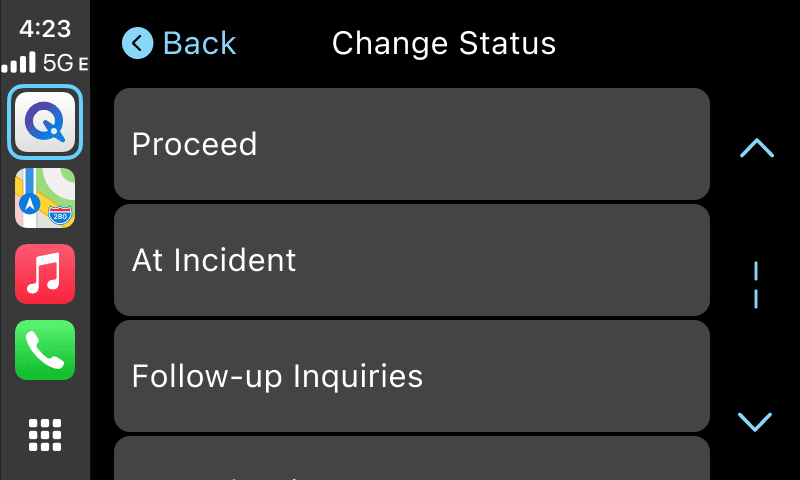
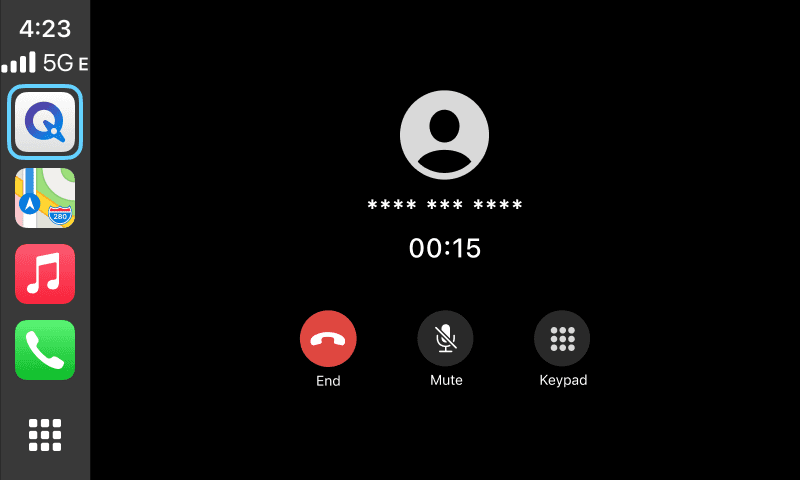
Within each incidents an officer can explore further information such as:
Incident details (Address, date, case number etc)
People & Entities involved (Cars, Buildings etc)
Change status (Officer’s involvement evolves as case progress)
Call informant (Number is censored in CarPlay to protect the informant’s identity)
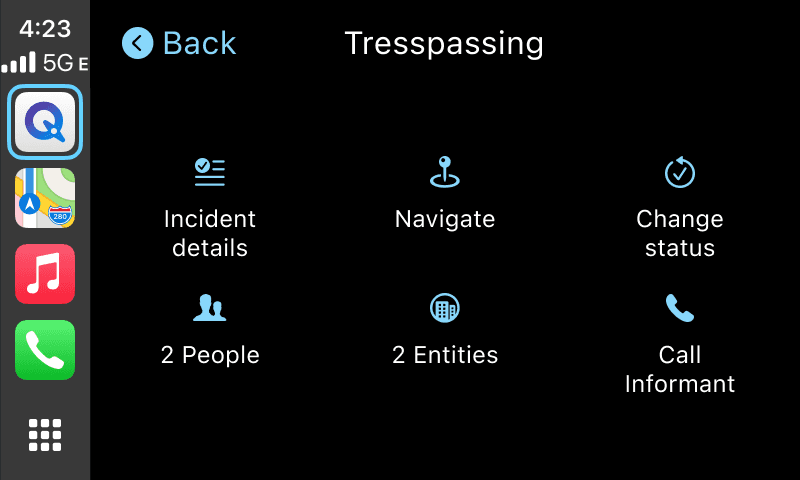
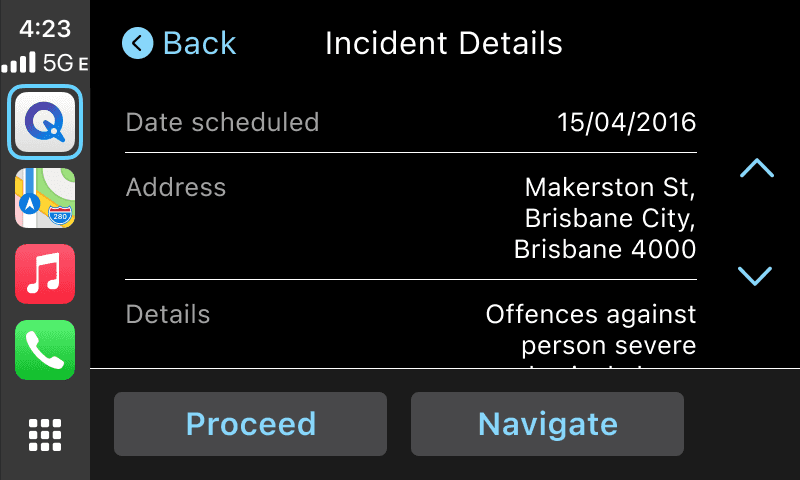
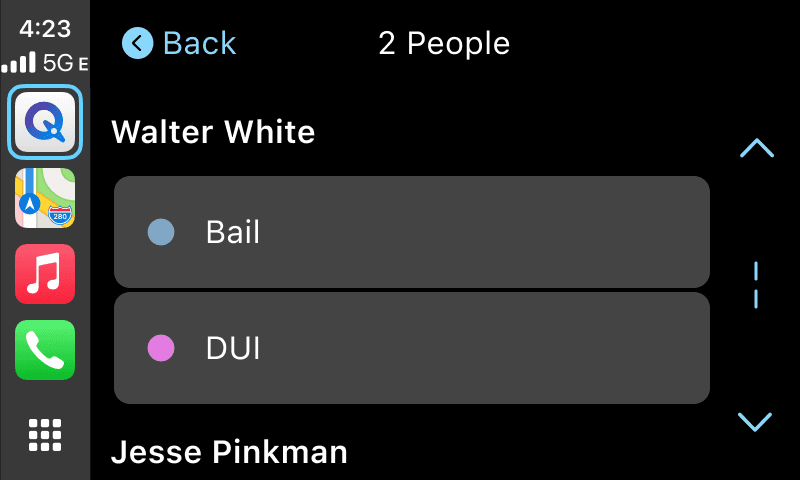
Seeing points of interest
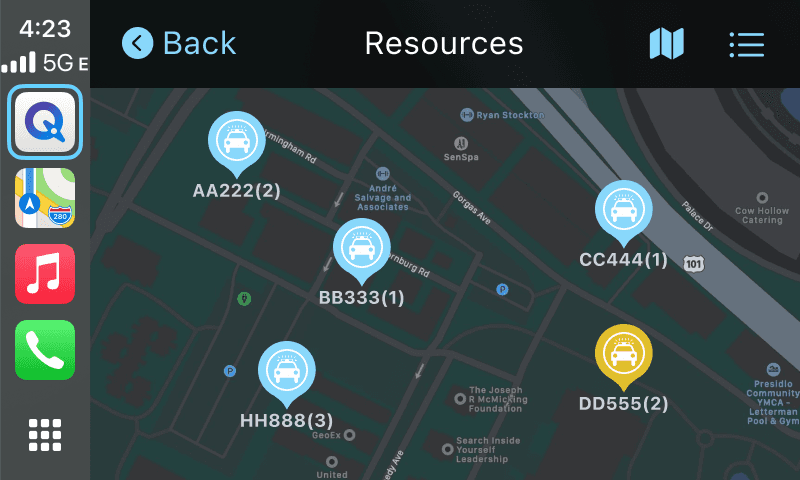
In the home screen officers can look at other points of interest such as:
Resources (police cars, yellow if under duress)
Officers (officers individually, yellow if under duress)
Static sites (spike traps to stop vehicles of interest)
Planned tasks (proactive tasks such as patrol and administration)
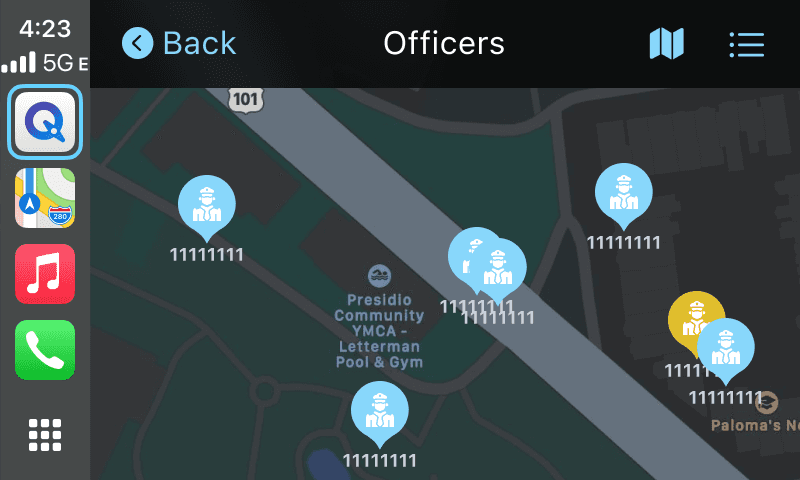
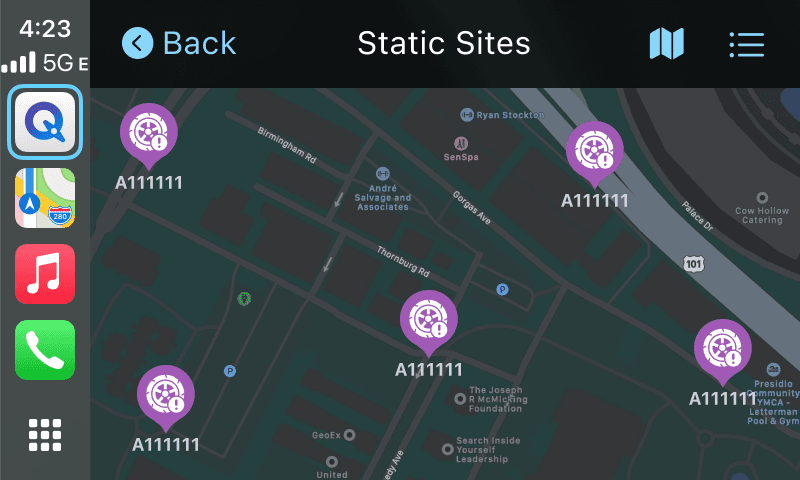
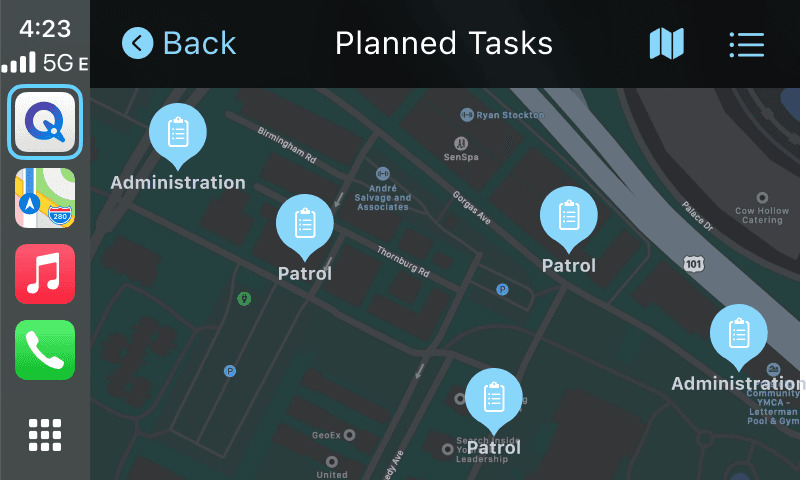
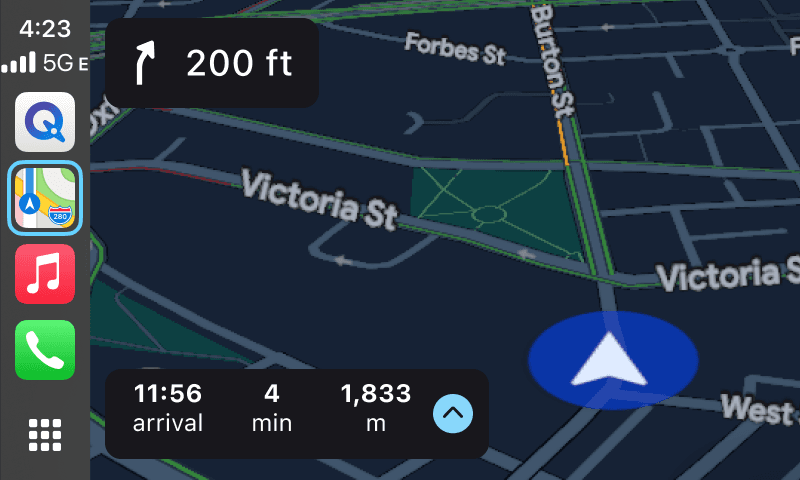
Navigate to location
When officers clicked on the “Navigate” button on each category such as incidents, resources, officers, static sites, they will open apple maps which will navigate them to the location.
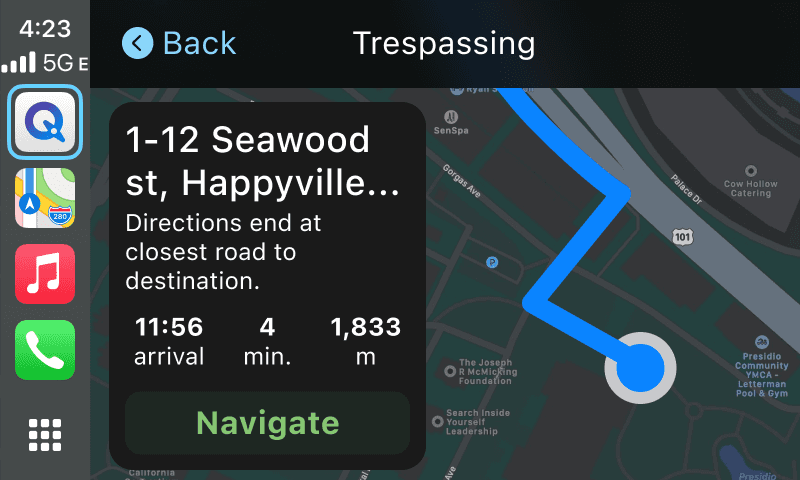
Measuring Success
With this new tool we wanted to measure the adoption rate via analytics on:
1. How many people are using the apple carplay
2. How many times carplay has been used (carplay connected)
3. Tracking each features how frequently it is used within carplay
4. How long in total the system stayed connected throughout the day
Outcome
The Queensland Police Service is happy with the MVP version of the project as we were able to put all the vital components of QTasks into CarPlay and have it more fleshed out compare to what is in the app. With this the police will have lesser reliance on iPad to have a bigger screen and also single units can do their job easier while in the car.
Retrospective
There are some features that we want to add that are vital to enhance an officer’s daily duties but is unable to due to Apple CarPlay limitations such as:
Incident updates (crucial if they suddenly discovered the target has a weapon).
Having QPrime (Police encyclopedia of all criminal and location database).
Etc
Given how we were able to ship the product despite a short timeframe in estimating what is feasible and not feasible, navigating through ambiguity on where the final designs are heading (due to Apple CarPlay entitlements that are taking so long).
Back